Status v2.38: Mobile Browser, Private Notifications, New L2 Networks, and a Faster App Experience
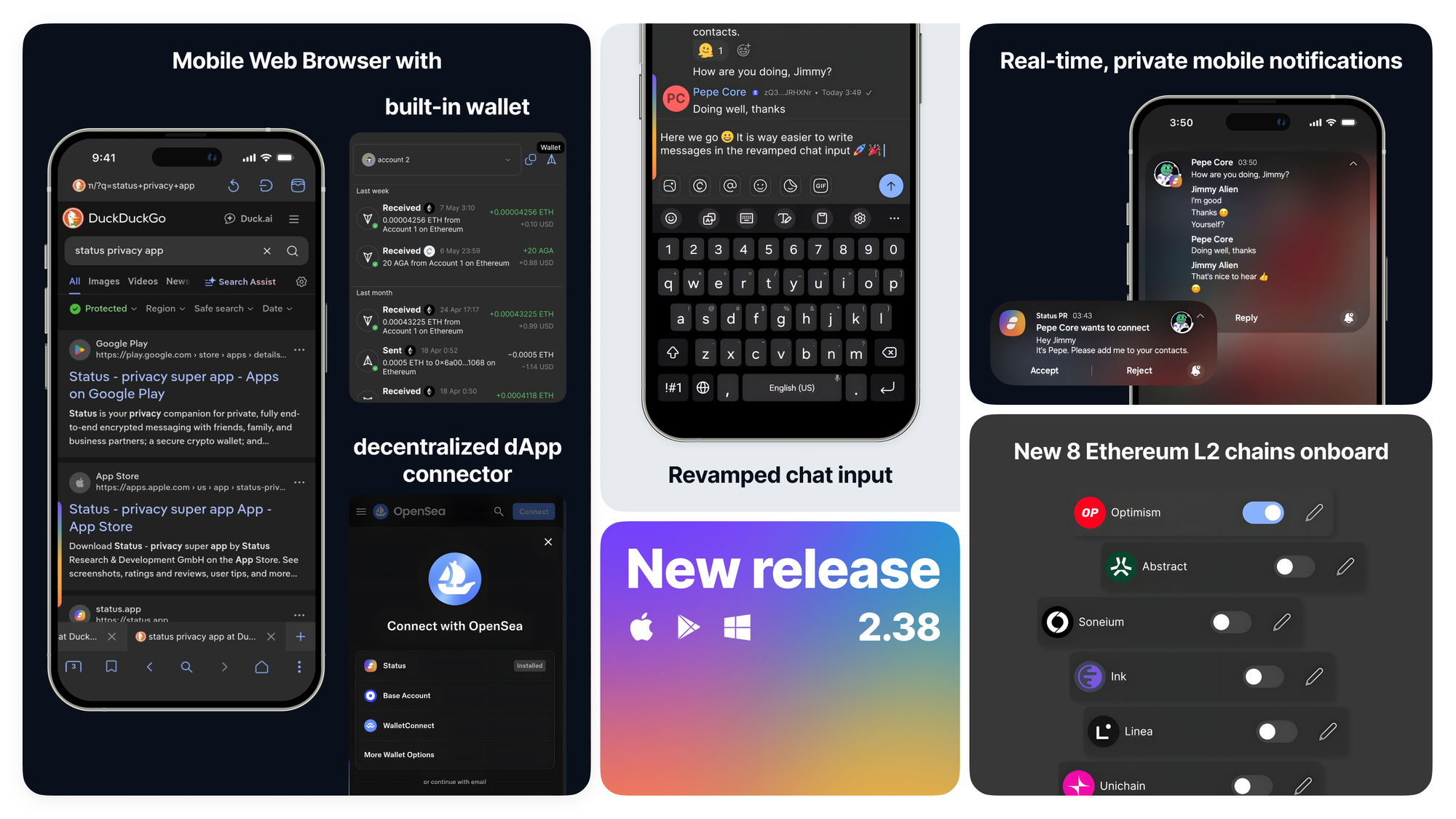
Status v2.38 expands the capabilities of the privacy super app across mobile browsing and notifications, blockchain network support, user messaging experience, improved mobile interface scaling, and overall performance. The release ships a built-in Status Mobile Web Browser with the wallet and the Status decentralized dApp connector, real-time private push notifications for Android and iOS, support for eight new Ethereum Layer 2 networks in the self-custodial Status wallet, a revamped chat input for better user texting experience, a full Activity center, and faster login times across the Status app.
Status started as a private messenger and self-custodial crypto wallet. With v2.38, the same secure environment now extends to mobile browsing, reducing the need for separate vendor apps and helping minimize your digital footprint. You can download the latest Status app on iOS, Android, or Desktop to try the new features today.
- Status Mobile Web Browser with an integrated crypto wallet and decentralized Status dApp connector
- Real-time private push notifications on Status Mobile
- Revamped chat input for better user messaging experience
- Activity Center, replacing the in-app Notification Center
- Eight new Ethereum Layer 2 networks supported in the self-custodial Status wallet
- Faster Status Mobile performance and shorter login times
- Smarter handling of internet connection and wallet provider error banners
- Improved Mobile interface scaling
- Updated application framework to Qt 6.11
- Started integrating Logos Delivery
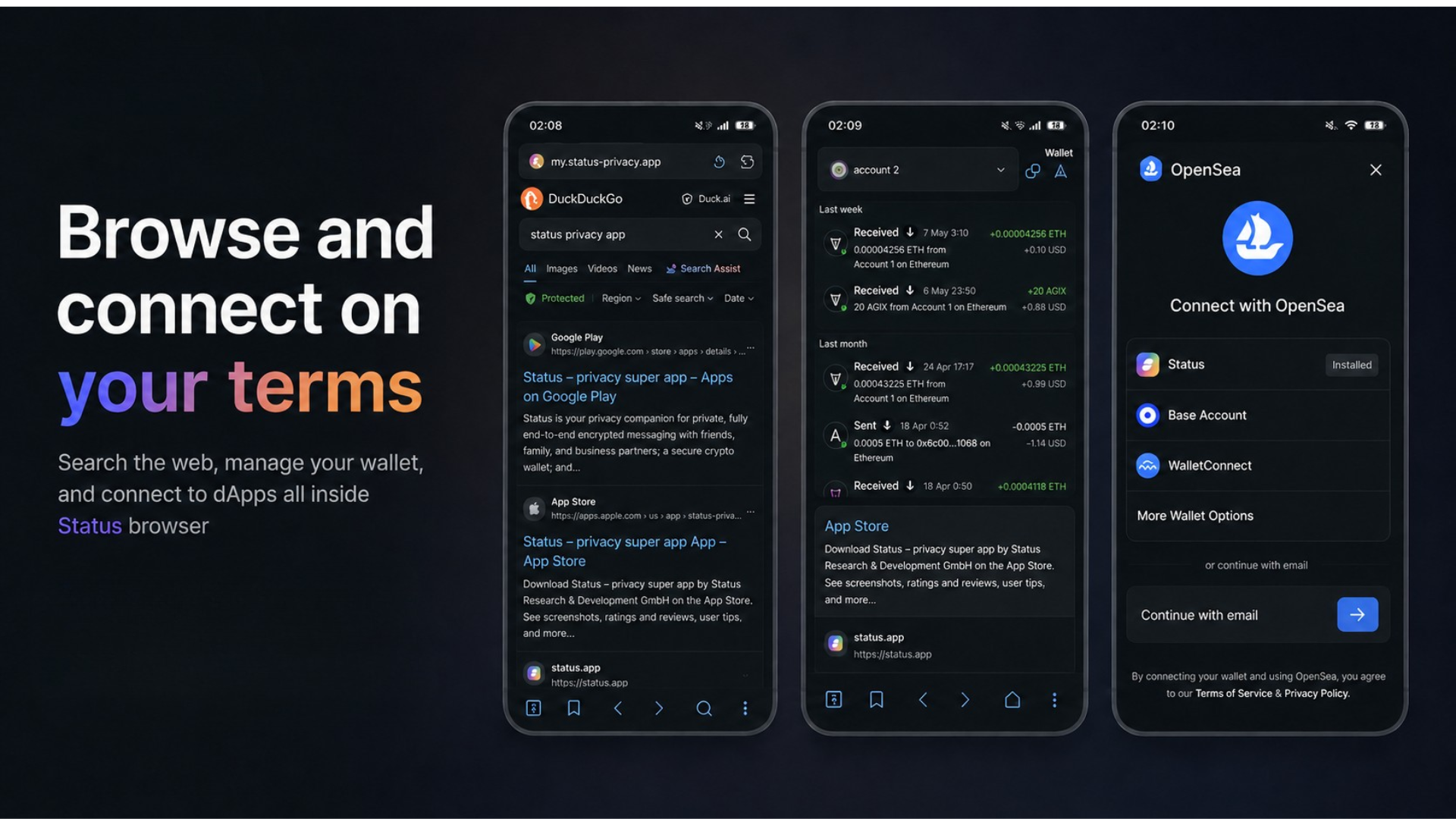
Status Mobile now ships with a built-in web browser. You no longer need to leave the Status app to open links, browse the web, or interact with dApps (decentralized applications).
Whether you scan a QR code with the Status Smart QR Scanner or tap a link inside a Status chat, links open directly in the in-app browser. The browser ships with multiple privacy-focused search engines, with the option to plug in a custom search engine so you decide how you discover web content.
You can access the Status wallet from inside the browser to check your transaction history or sign dApp transactions, bookmark trusted dApps so a lookalike domain cannot fool you, and connect to dApps through the Status decentralized dApp connector. Each connection passes only the signed payload the dApp requested. The dApp never sees your private keys or any account context beyond what you explicitly authorize.
Browsing, messaging, and Web3 transactions now happen inside the same encrypted Status environment instead of spread across three different apps. That keeps your digital footprint smaller by limiting the data shared with separate browsers, wallets, messengers, and notification vendors.
This is the first iteration of the Status in-app mobile browser. Incognito Mode, VPN integration, and onion (Tor) routing are on the exploration roadmap for upcoming releases, expanding what private web browsing inside Status looks like.
Status v2.38 introduces real-time private push notifications on Status Mobile. You no longer need to keep the app open to know when something arrives in your encrypted Status chats.
You can now receive notifications for:
- Incoming messages in direct and group chats
- Mentions and replies in chats and Status Communities
- Contact requests
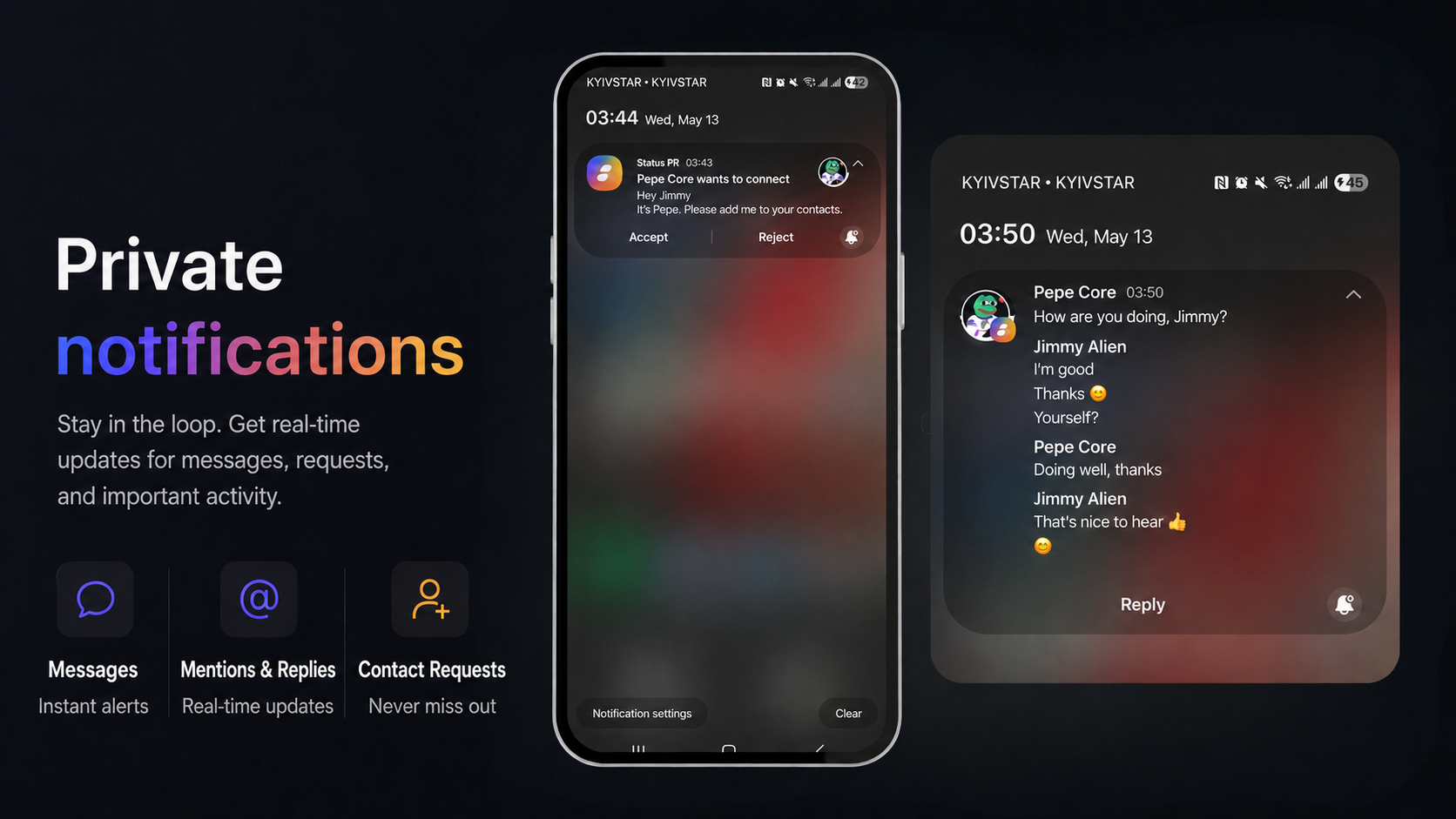
Status delivers notifications through its on-device background service. No third-party server, centralized push provider, or external notification infrastructure routes your notifications.
Most messaging apps rely on intermediary cloud messaging services for push notifications delivery; Status keeps the path entirely on your device. You can also reply or react to messages directly from the Android notification tray without opening the app.
On iOS
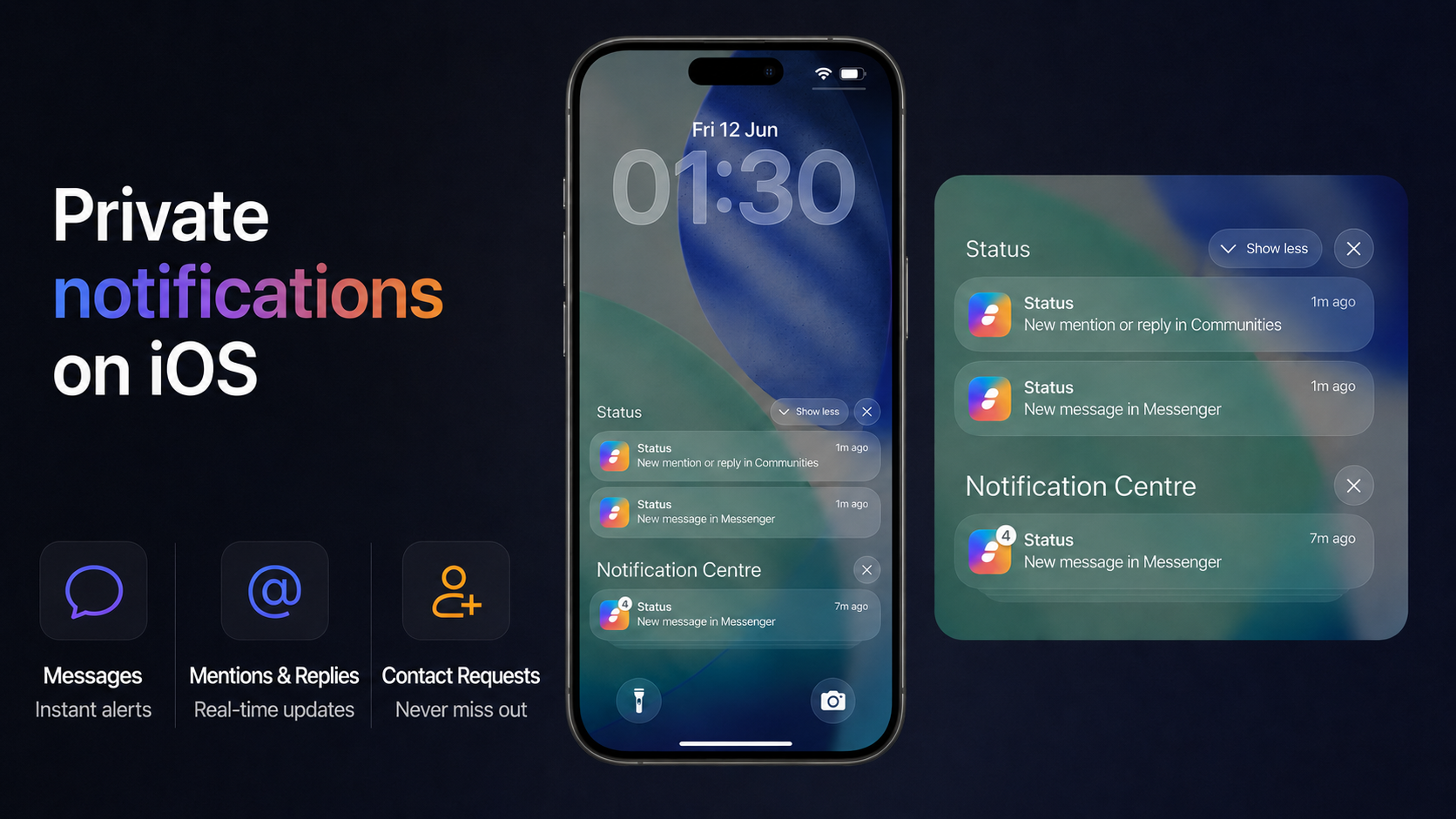
Status uses the Apple Push Notification service (APNs) to deliver only the notification signal. Your end-to-end encrypted messages are never passed through Apple's servers, never stored by Apple, and never readable outside your device.
Due to Apple's strict constraints on background execution, implementing push notifications in a fully privacy-preserving way on iOS is technically complex. This is our first iteration of privacy-focused push notifications on iOS. We run dedicated Status push notification servers that interface with APNs on your behalf, which involves some metadata trade-offs. How these servers work and what metadata they handle are documented in detail in the 16/PUSH-NOTIFICATION-SERVER specification. The Status push notification servers only operate with the notification signal. Your end-to-end encrypted messages are never passed through them or never stored there.
You can adjust push notification preferences anytime from Settings → Notifications inside the Status app.
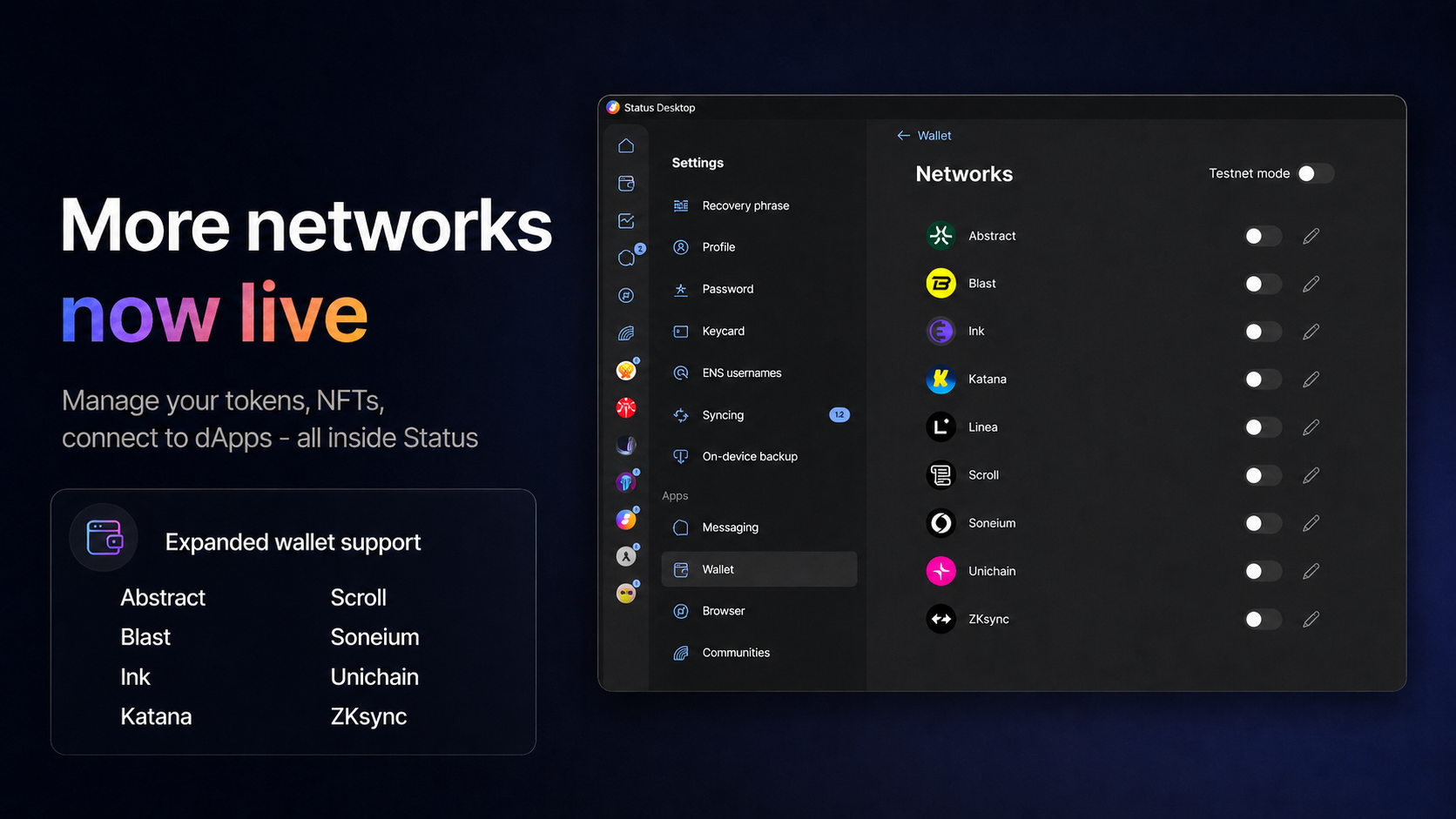
Status v2.38 expands the self-custodial Status wallet with eight new Ethereum Layer 2 networks.
You can now view balances, send and receive tokens and NFTs, and interact with dApps on:
- Abstract
- Blast
- Ink
- Katana
- Scroll
- Soneium
- Unichain
- ZKsync
Each Ethereum L2 is treated as a first-class network inside the Status wallet, so token portfolio totals aggregate correctly across chains and your transactions appear under the right network history. Token swaps on these specific Ethereum L2 networks will follow in upcoming Status releases.
Broader Ethereum Layer 2 coverage means you can stay inside the Status app as you move tokens across the L2 ecosystem. Means more freedom to explore Ethereum ecosystems directly from Status, while keeping your wallet, browser, and messaging experience together in one app.
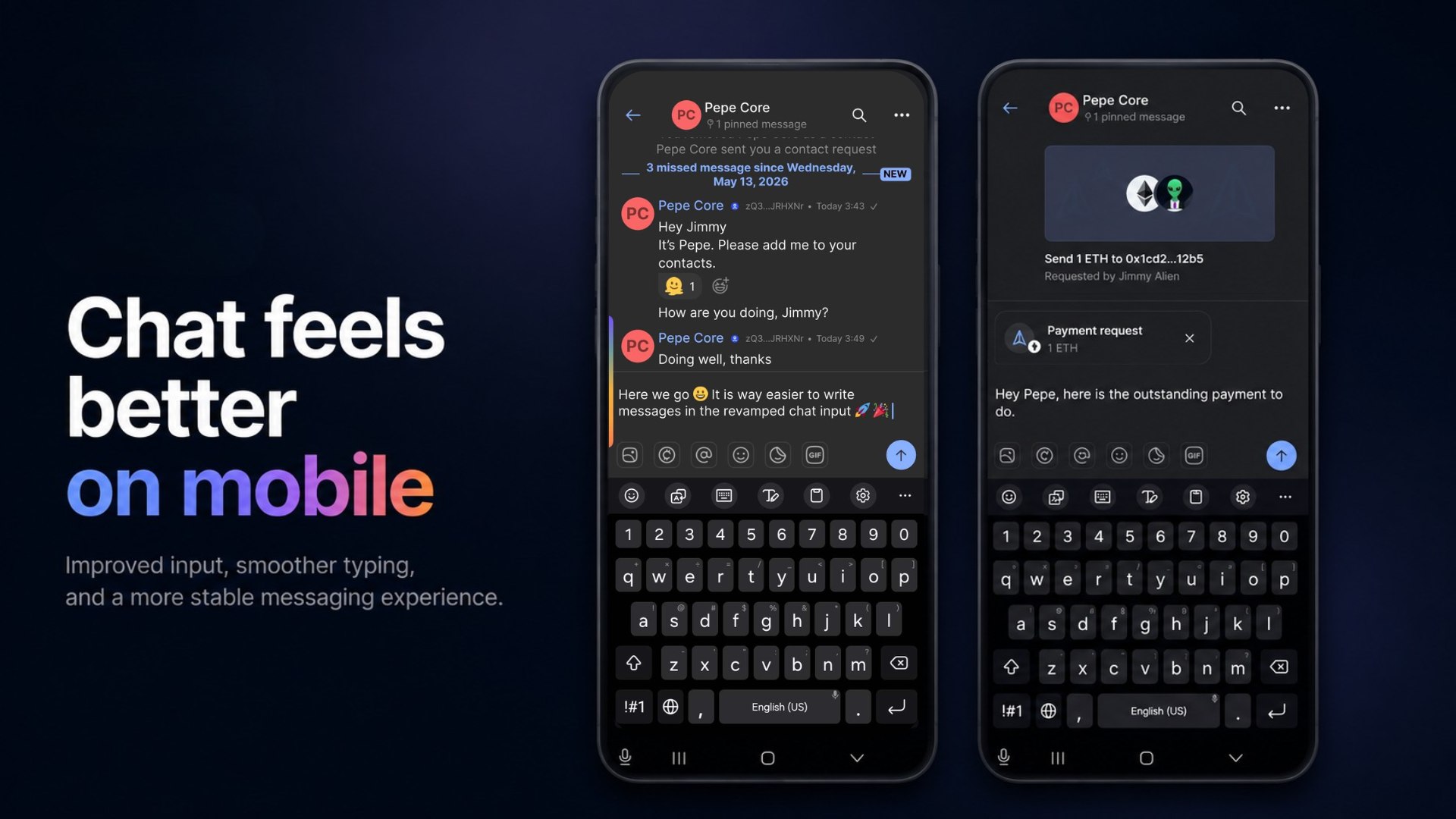
Status v2.38 ships the first phase of a revamped chat input field on Status. The team revamped the parts of the chat input messaging interface causing the most friction during heavy use, focusing on Mobile chat convenience and reliability.
The team improved:
- Keyboard handling inside Status chats
- Context menu handling for messages and media
- Chat scrolling and message rendering
- Overall Mobile chat stability
The next phase of the chat input rework targets text formatting, mentions inside Status chats, link pasting, image handling, and further refinements to Status messaging.
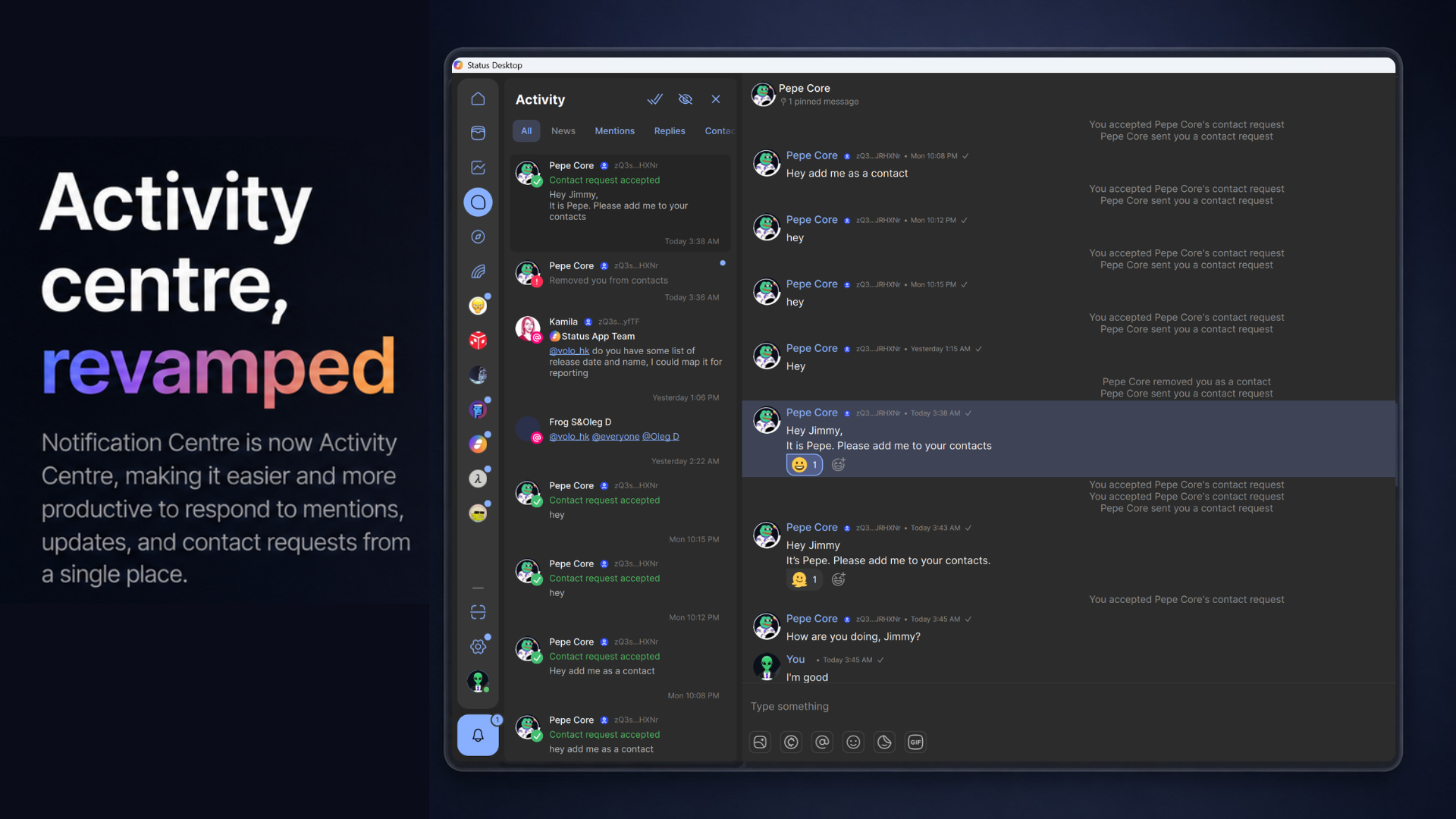
The in-app Notification Center has evolved into a full-fledged Activity Center inside the Status app, giving you a single place to reply to updates, mentions, contact requests, and other in-app activity.
You can now open and interact with notifications directly inside the Activity Center without leaving the screen. Handling replies, contact requests, and mentions across Status Communities takes fewer taps and less context switching, which keeps your attention inside the conversation rather than on app navigation.
Status v2.38 includes performance improvements across the Status app, with the largest gains on Status Mobile. The app now feels:
- Snappier on launch
- More responsive when switching between appsections and tabs
- Faster to navigate inside Status chats and the Status wallet
- Quicker during login
These are part of ongoing work on Status performance and login time as the feature surface of the privacy super app grows with every release.
The "Internet connection lost" and "Wallet provider is down" banners no longer fire when there is no real issue with your Status app. In v2.38, the team refined the logic behind these alerts to cut false positives caused by transient network blips or brief data-provider hiccups.
You should now see these banners only when there is an actual issue with your internet connection or with the wallet data providers Status relies on for blockchain RPC, token prices, and on-chain activity.
Updated Application Framework to Qt 6.11
We've upgraded Qt, the core technology behind our app, from version 6.9.2 to 6.11.
Benefits include:
• Improved performance and responsiveness
• Better stability and reliability on Android and iOS
• Enhanced compatibility with newer devices and operating systems
• Security updates and bug fixes
• A stronger foundation for future features and improvements
Most of these changes happen behind the scenes, helping make the app faster, more stable, and ready for what's next.
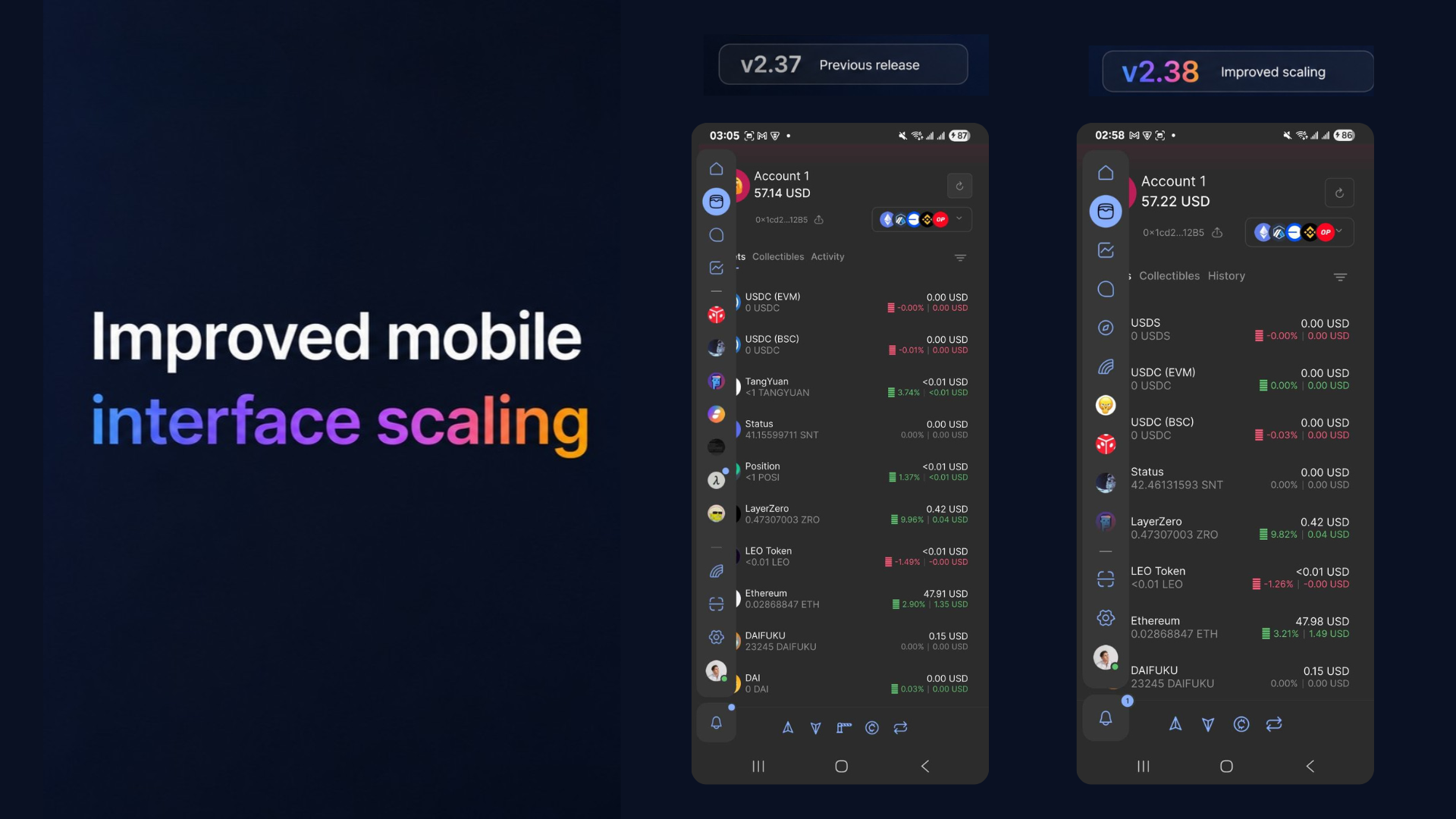
The development team adjusted the app's interface scaling on mobile devices, making text, buttons, and other UI elements appear larger and easier to read and interact with. This improves usability and accessibility, especially on smaller mobile screens.
Logos Delivery introduces a new orchestration layer that handles peer management and related protocols such as Discovery v5, Store, Light push, Relay, Filter, and others, removing this complexity from the Status app. All of these components will be exposed through a single, unified Messaging API, so Status can focus on product development rather than messaging infrastructure.
This integration implies replacing the Go implementation of Logos Delivery with the most actively developed Nim implementation.
Completing this integration, which is a breaking change, is planned for v2.39, and initial work has started in v2.38.
Ready to explore the new privacy-first features in v2.38? Update to the latest Status app release on iOS, Android, or Desktop and jump in.
Status is still in development, so you may encounter bugs.
Your feedback helps us build the best app for secure crypto, private messaging, and community-owned spaces. Read this guide for more information on reporting bugs in Status. Alternatively, you can share your feedback directly in the Desktop or Mobile feedback channels within the Status Community.
Don’t miss the latest news from Status – follow us on X or join our Community in the Status app to get the latest news and updates!
Your use of the Status apps is subject to the Status Terms of Use and Privacy Policy.